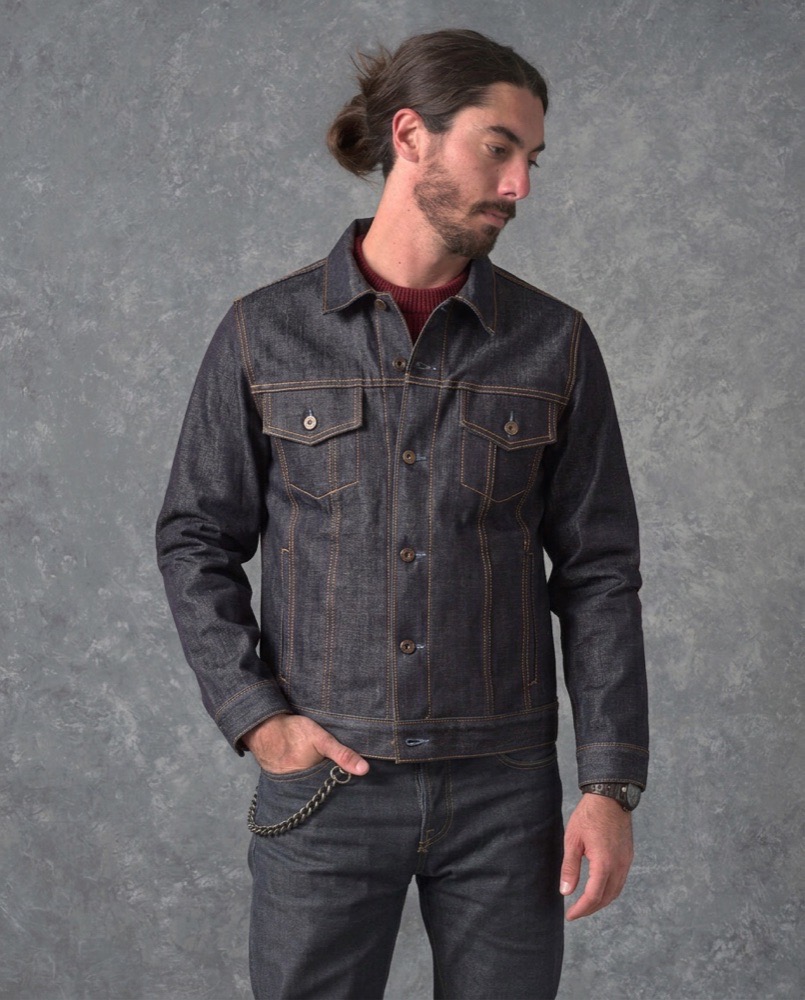
Visualise wall film and wallpaper on a customer's own wall
Selling wall film, wallpaper or architectural vinyl online has a particular problem. A flat swatch tells the customer the colour. It tells them almost nothing about what the colour does to their room — which is the entire decision.
- Published
- Reading time
- 5 minutes
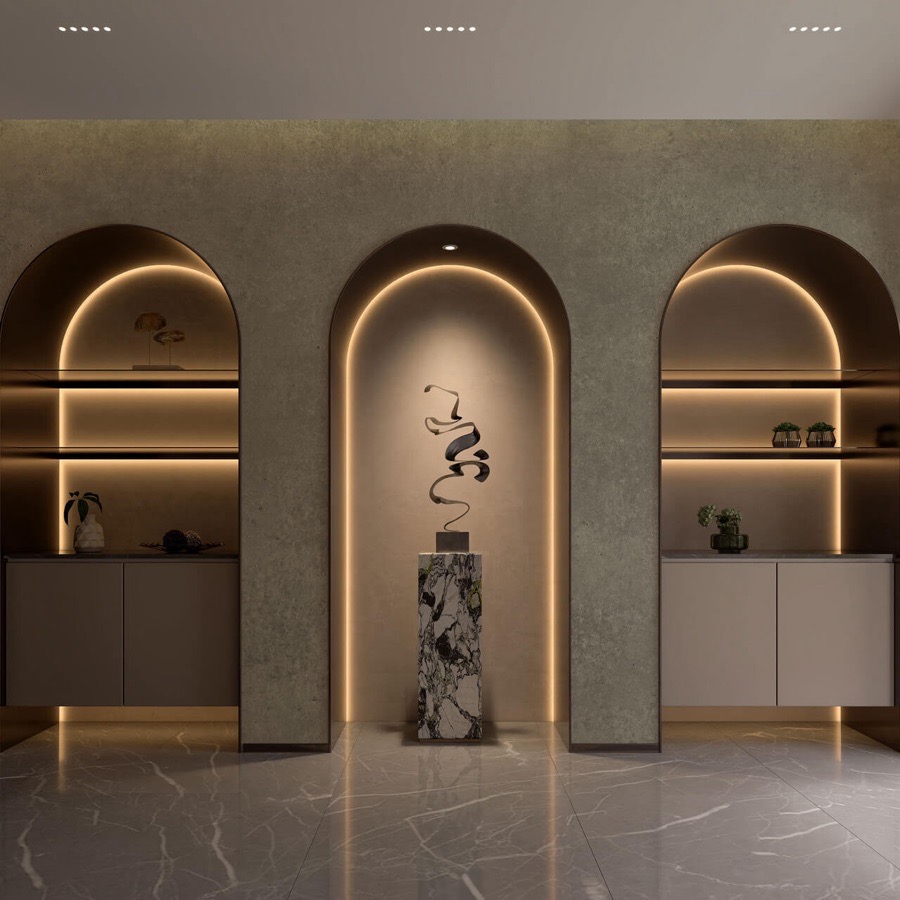
The customer's photo
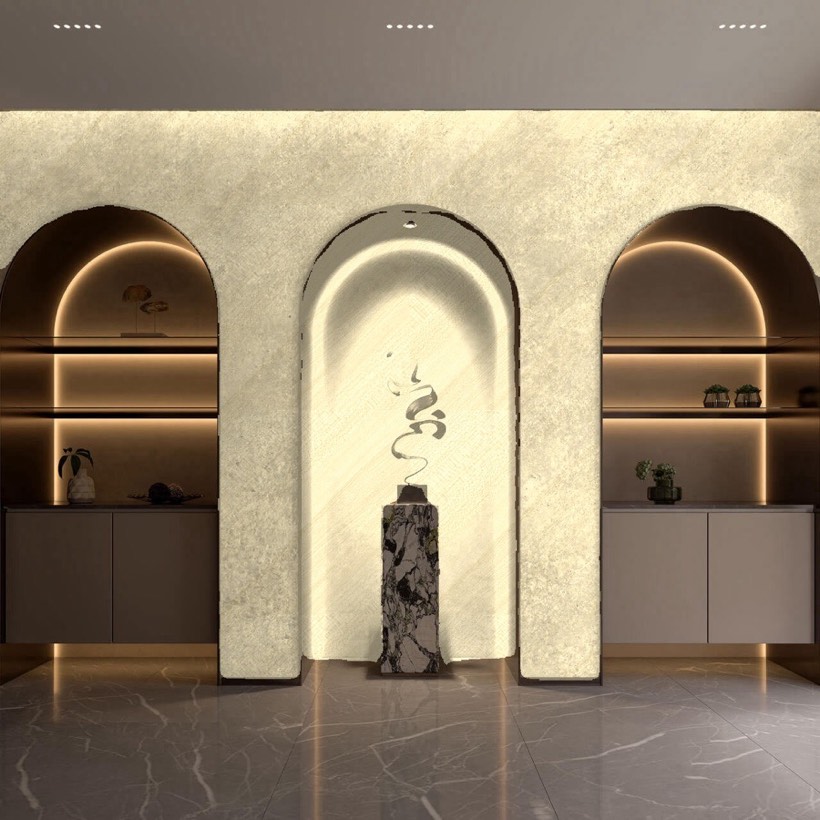
Segmentation and recolour
Film across the middle arch
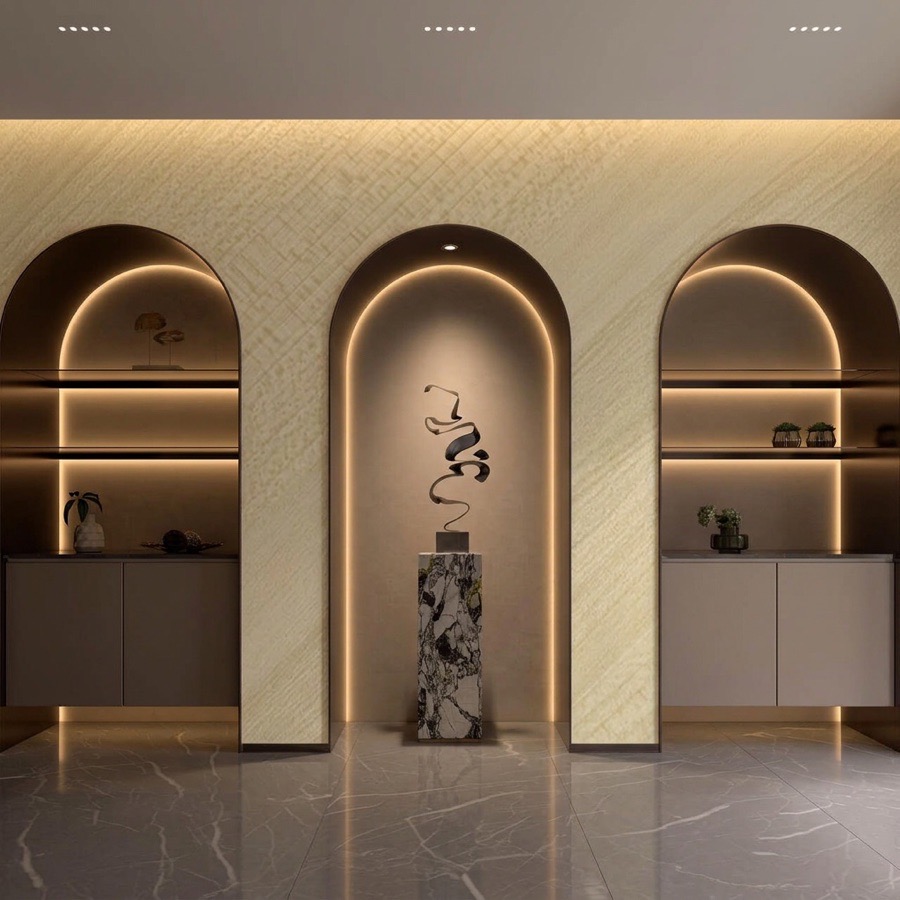
Softbox model
Arches, shelves and lighting kept
So the useful feature is not a bigger swatch. It is “see wallpaper on my wall”, using a photo of the actual wall, taken on a phone, in whatever light that room happens to have.
We built this three different ways before we were happy with it. Here is what each attempt got right and where it stopped.
Attempt one: do the maths in the browser
The cheapest version needs no AI at all. The shopper uploads a photo and drags four corners to mark the wall. The software warps the pattern into that quadrilateral, samples the light already in the room, and multiplies it over the top so the new surface picks up the existing shadows and highlights.
It costs nothing per preview, returns a result instantly, and on the right photo it is convincing.
Two things broke it.
Pale rooms. The light-borrowing trick works by reading brightness from the original wall. In a bright white room there is very little variation to read, so the result came out flat — the pattern sat on the wall like a sticker rather than belonging to the room.
Objects the same colour as the wall. A white radiator against a white wall, a cream sofa against a cream wall. The maths has no idea the radiator is not the wall, so the pattern ran straight across it.
Geometry in the browserThe pattern runs over the radiator
Softbox modelThe radiator stays in front of the wall
That second failure is the one customers notice immediately, and it is common in exactly the kind of minimal interior that buys architectural film.
Attempt two: trace the wall properly with segmentation
If the problem is “the software does not know where the wall ends”, the obvious fix is a model that does. We used Meta’s Segment Anything.
It worked, in the sense that it genuinely understood the shapes. It traced arched doorways. It traced chair legs standing in front of the wall and kept the pattern behind them. These are hard outlines and it got them.
The cost was in everything around that.
Running it in the shopper’s browser meant roughly a 30 MB download before anything appeared on screen. Moving it to a server removed the download but introduced a wait of about 8 to 95 seconds per photo, depending on the image. And it was still wrong often enough that we had to give the shopper a way to tap and correct the mask.
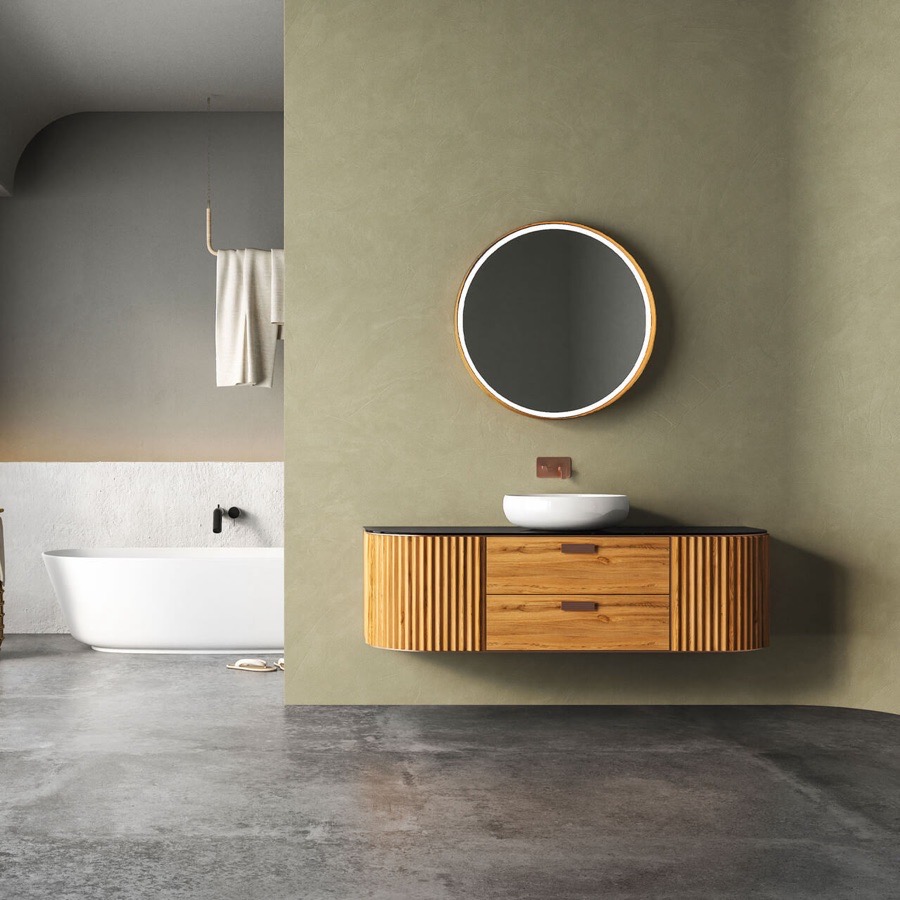
The customer's photo
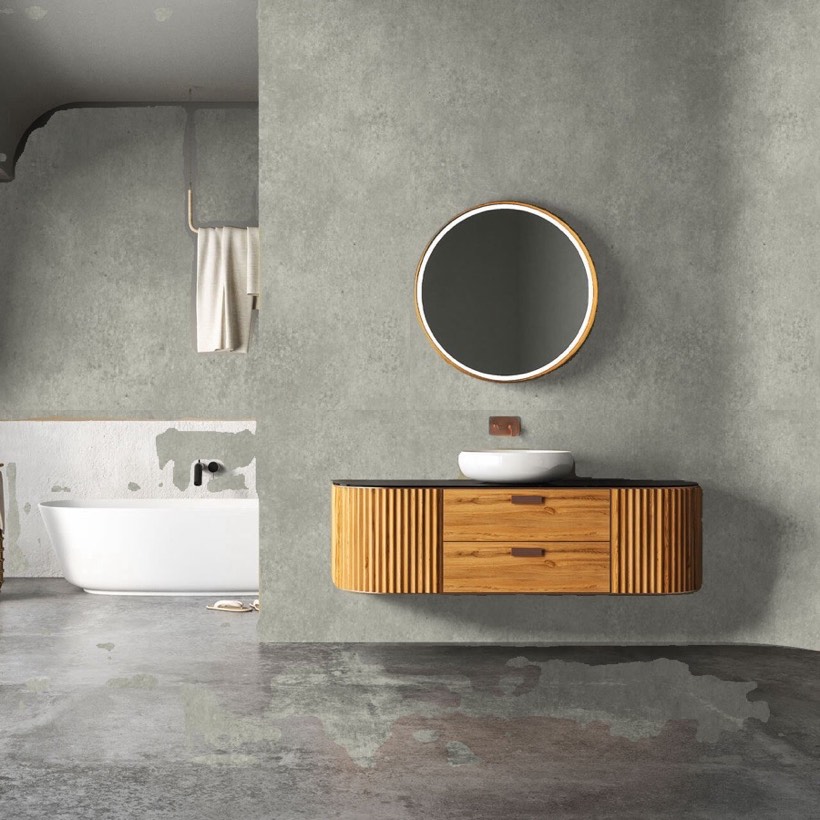
Segmentation and recolour
Spilled onto the floor and the bath wall
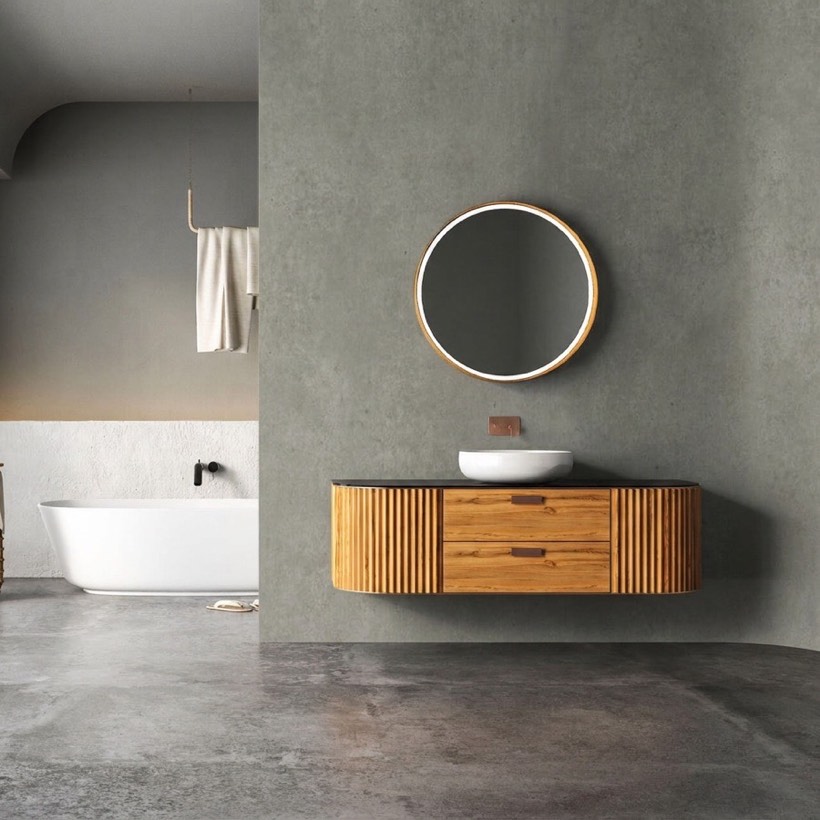
Softbox model
Only the feature wall changed
A customer who is being asked to wait a minute and then fix the outline has stopped browsing wallpaper and started operating software.
Attempt three: hand the whole thing to an image model
The third approach gives the shopper’s photo and the product to a generative image model and asks for the room with the film applied.
We tested the Softbox model against a larger general image model. Both handled the cases that broke the first two attempts: pale rooms kept their depth, radiators and sofas stayed in front of the pattern, and the awkward geometry that segmentation handled well was handled well here too — with no download, and nothing for the shopper to correct.

The film swatch
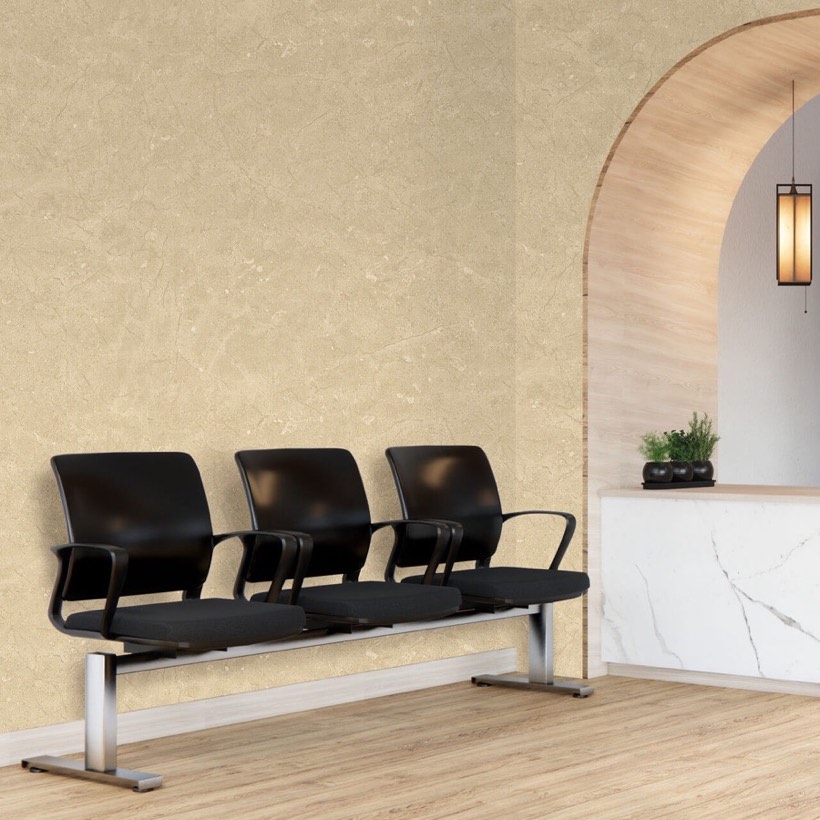
The customer's photo
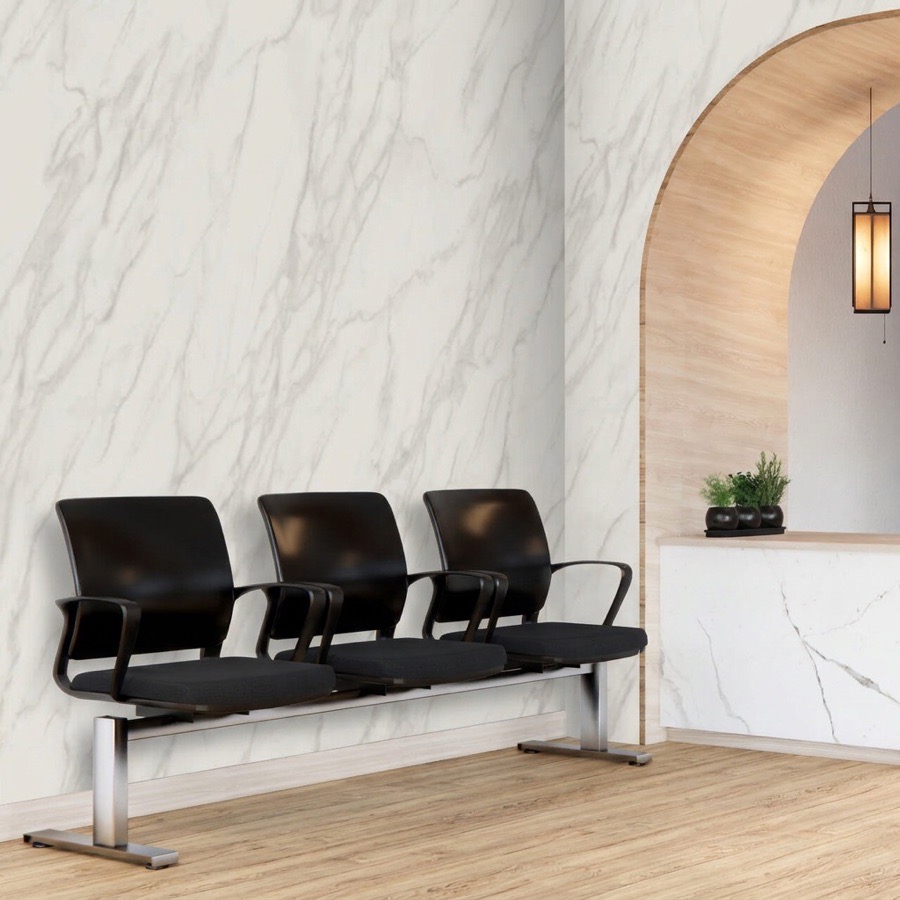
Softbox model
Chairs and arch kept, veining matches the swatch
We could not reliably separate their results in review. The larger model did render one wood film noticeably darker than its swatch, so Softbox runs the lighter of the two.
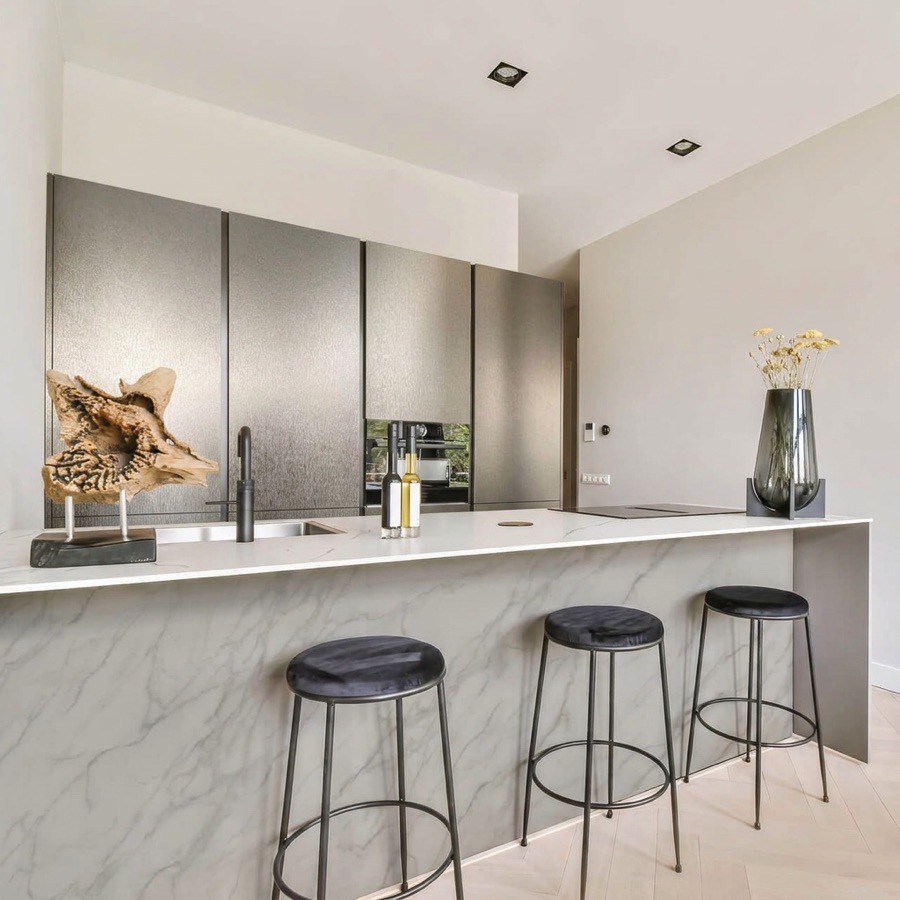
Kitchen cabinets, metal film
Bathroom, concrete film
Reception, marble film
Gallery, wood film
The three approaches, compared
| Browser geometry | Segmentation | Generative model | |
|---|---|---|---|
| Wait before the shopper sees anything | None | 30 MB download, or 8–95 seconds | Usually under half a minute |
| Shopper has to mark the wall | Yes, four corners | Sometimes, to fix mistakes | No |
| Pale, low-contrast rooms | Flat, unconvincing | Handled | Handled |
| Objects matching the wall colour | Pattern runs over them | Handled | Handled |
| Arches, mouldings, furniture in front | Poor | Good | Good |
What this means if you sell film or wallpaper
Test with bad photos. Your customers’ rooms are not showrooms. Collect a handful of genuinely awkward photos — a white hallway, a wall with a radiator, a room shot at an angle — and judge any tool on those.
Count the taps. Every corner the shopper has to drag is a place they abandon. The browser-geometry approach is free and instant, and it asks the customer to do the work.
Patterns are harder than plain colours. A repeating pattern has to stay the right scale and stay aligned across the wall. Plain and textured films are the easy case; test the busiest pattern you stock. Highly reflective surfaces are harder still, for the same reason chrome car wraps are.
Budget for it. A generative preview costs something each time it runs, and a wallpaper shopper will happily try fifteen patterns. That is good for you right up until it is not, which is why spending limits and per-visitor caps matter — covered in stopping AI preview abuse.
Questions people ask
Does the customer need to measure the wall?
No. The preview shows appearance, not dimensions. Keep your existing coverage calculator for working out how many rolls to order.
Will the pattern be shown at the right scale?
The model works from your product image and the apparent size of the room. Treat it as a close impression rather than a measured plan, and keep roll and repeat dimensions on the listing.
Does this work for architectural film on doors, cabinets and glass?
The same approach applies to flat surfaces generally. Heavily reflective surfaces are the hardest case, as they are with car wraps.
Can we use it on photos we supply instead of customer photos?
Yes. Some stores prefer to offer a set of room templates. Shoppers using their own room is the stronger version, but both work.
Why not use the free browser version, if it costs nothing?
If your stock is plain colours and your customers photograph plain walls, you could. The published demos above are exactly that version, so you can see where it holds up and where it does not.
Which platforms does this run on?
BigCommerce now, Shopify next. See adding previews to a BigCommerce store.