Car wrap visualizer: why chrome and colour-shift wraps need AI
A customer choosing a vinyl wrap is making a decision worth hundreds or thousands, about a finish they have only seen as a small rectangle on a screen. “See wrap on my car” is the single most useful thing a wrap store can offer, and it is harder than it sounds for one reason: not all wraps behave like paint.
- Published
- Reading time
- 5 minutes
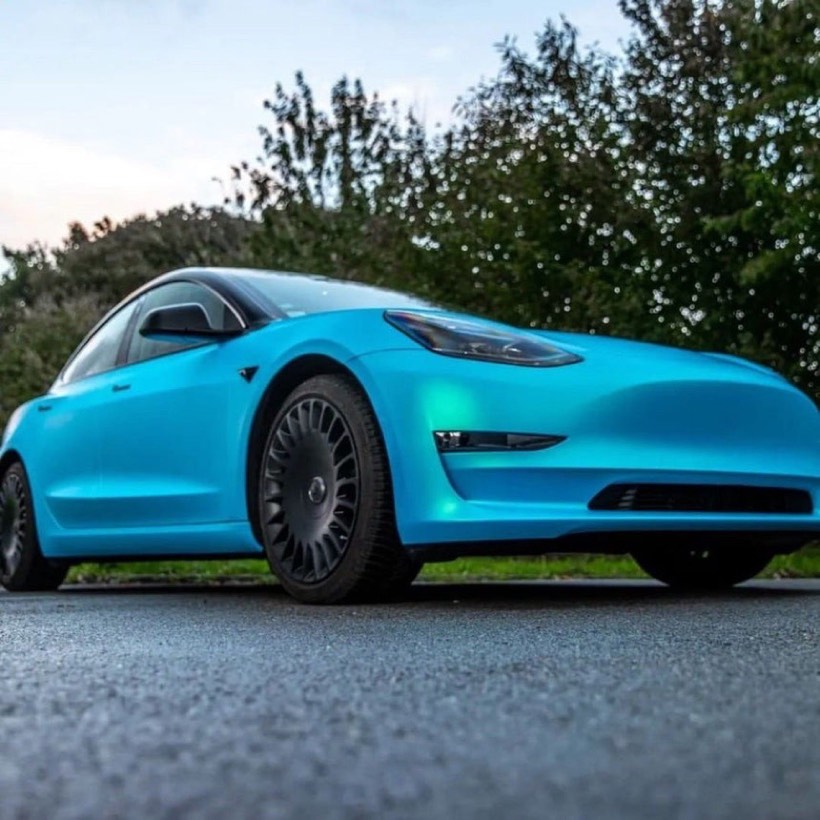
The customer's photo
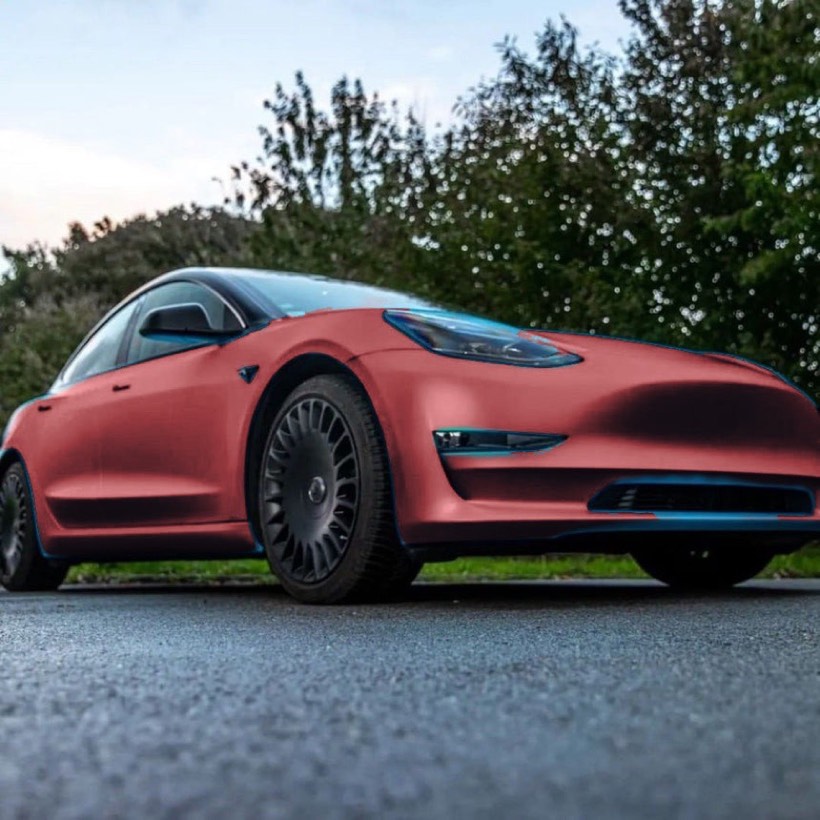
Segmentation and recolour
One flat colour, the shift gone
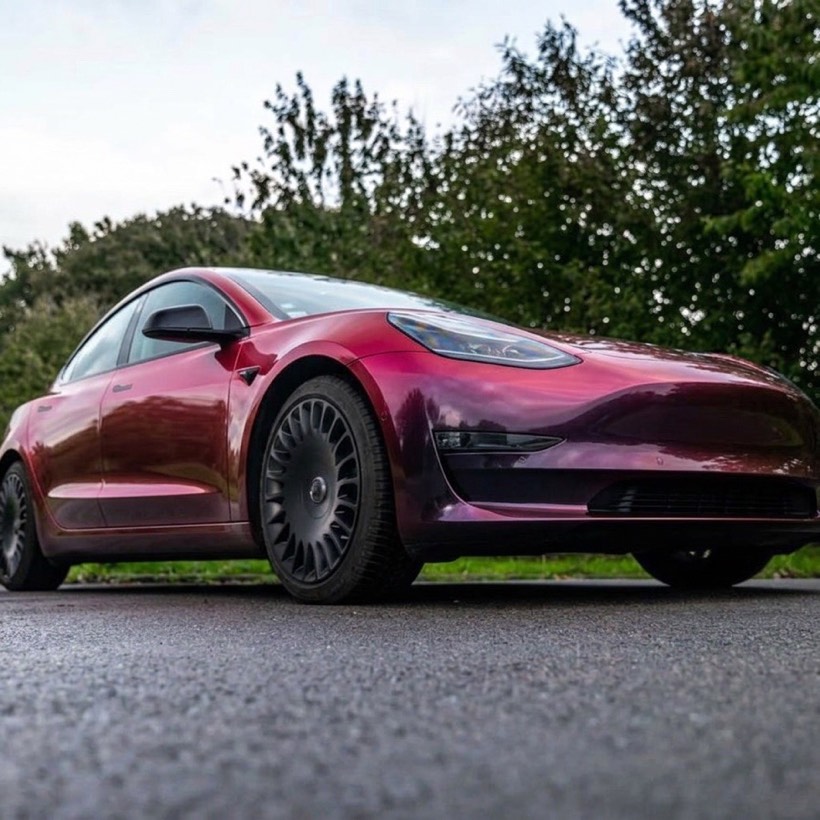
Softbox model
Shifts across the panels
We built a wrap preview twice. The first version works well for most of the catalogue and fails completely on the part of the catalogue with the highest margins.
Why gloss, satin and matte are the easy case
A conventional coloured wrap changes the car’s colour and keeps its behaviour. Light still hits the bonnet at the same angle, the reflections still fall in the same places, the shadow under the wing mirror still sits where it sat.
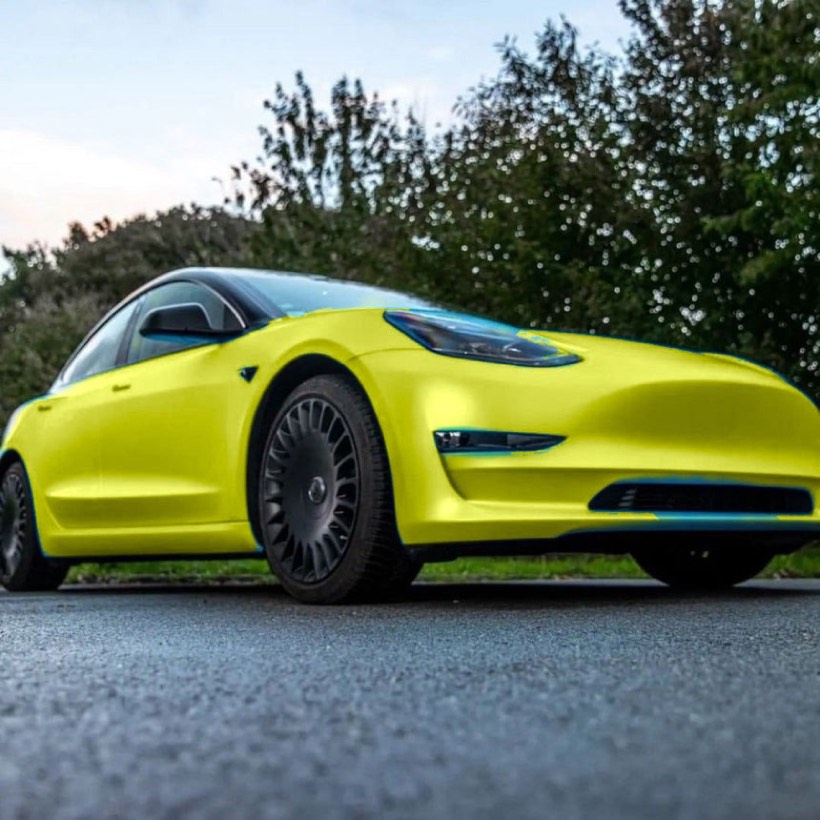
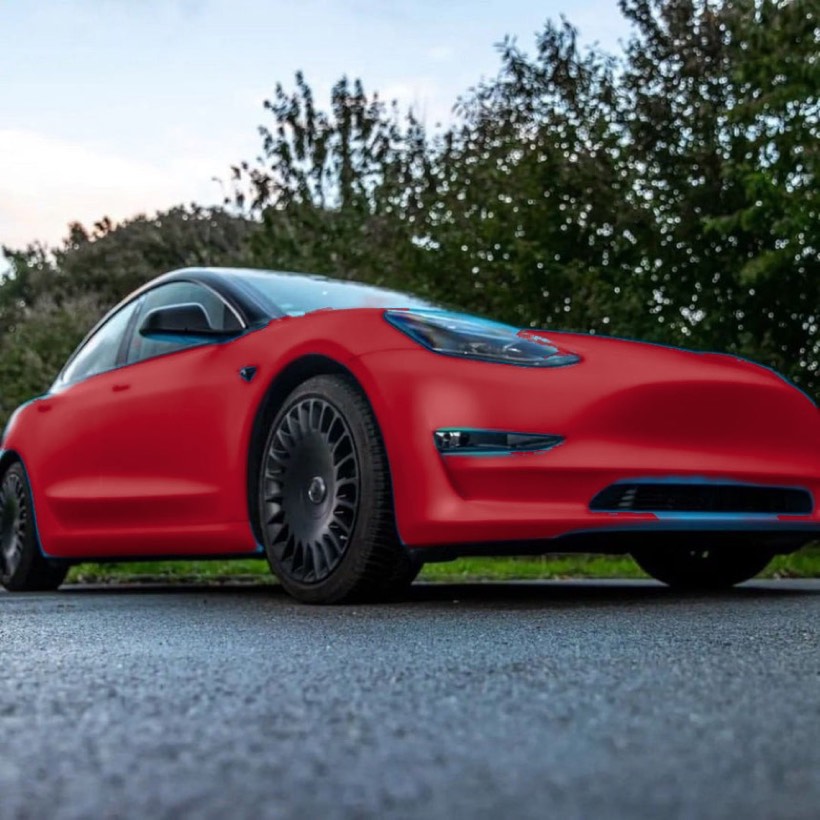
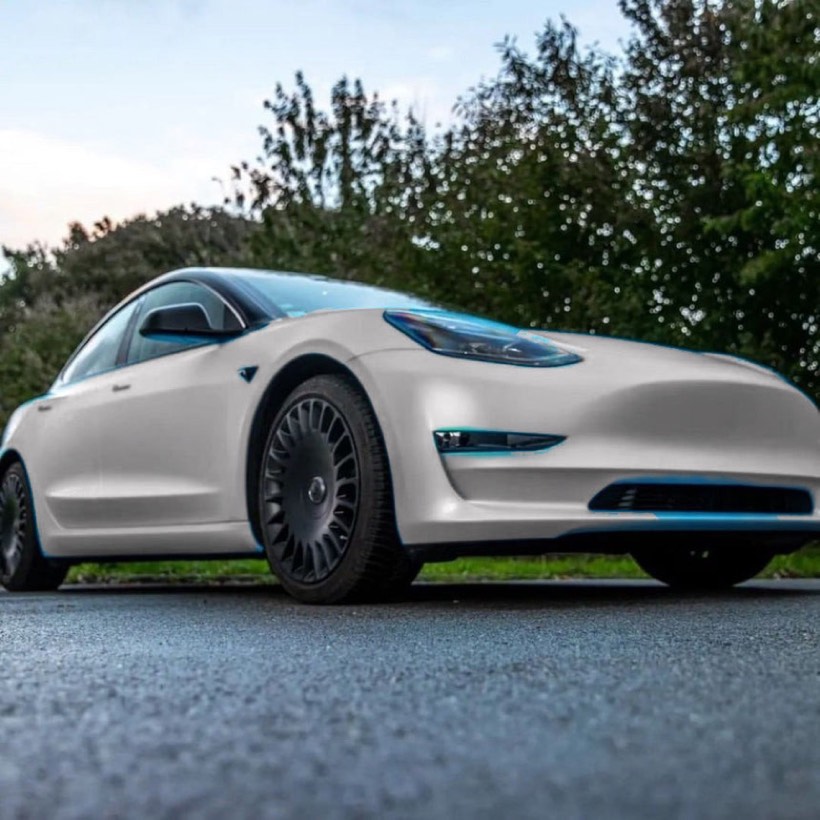
That means you can do a convincing job without generating anything. Trace the car’s panels, change the hue, adjust the gloss response, and leave the existing light and shade intact. We used Meta’s Segment Anything to isolate the vehicle and recoloured within that mask.
It worked. Gloss, satin and matte all came out believable, and it is fast and cheap because nothing is being invented — the original photograph is doing most of the work.
OriginalThe photo
Lime
Flame red
Cement grey
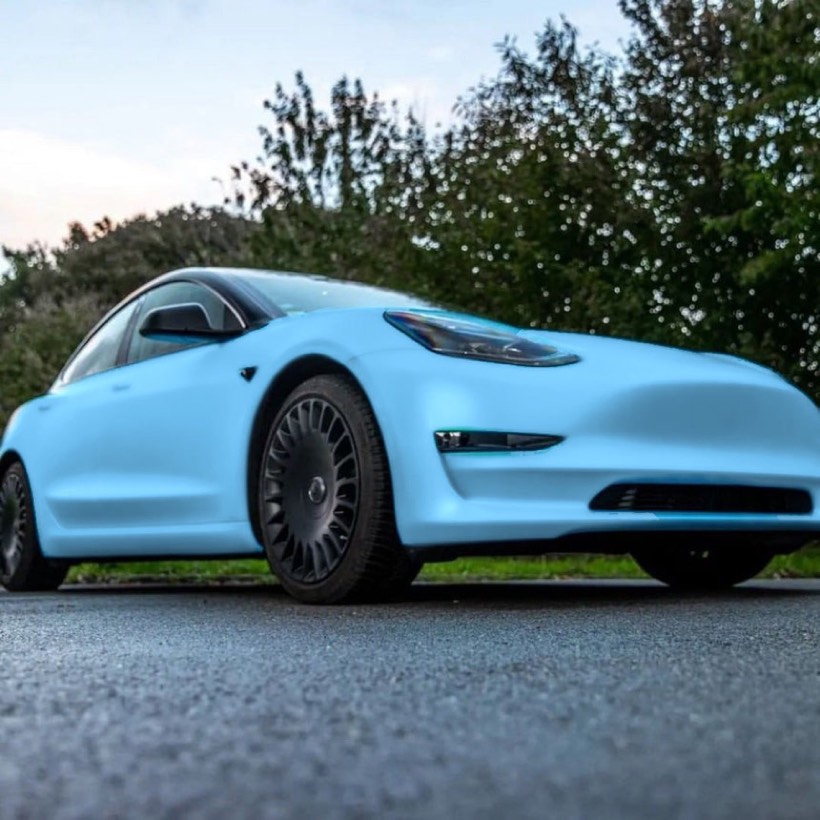
Sky blue
Where it fell apart
Chrome and colour-shift wraps are not a colour. They are a behaviour.
A chrome wrap is a mirror. What it shows is the car park, the sky and the building opposite, distorted across the car’s panels. There is no hue to set, because the colour is whatever is standing nearby.
A colour-shift wrap changes hue with viewing angle. The wing is purple where it curves away from you and green where it faces you, on the same panel, at the same moment.
Recolouring inside a mask cannot produce either. We tried. Chrome came out as flat paint. Colour-shift came out as one hue across the whole car, which is exactly the property the customer is paying extra for, removed.
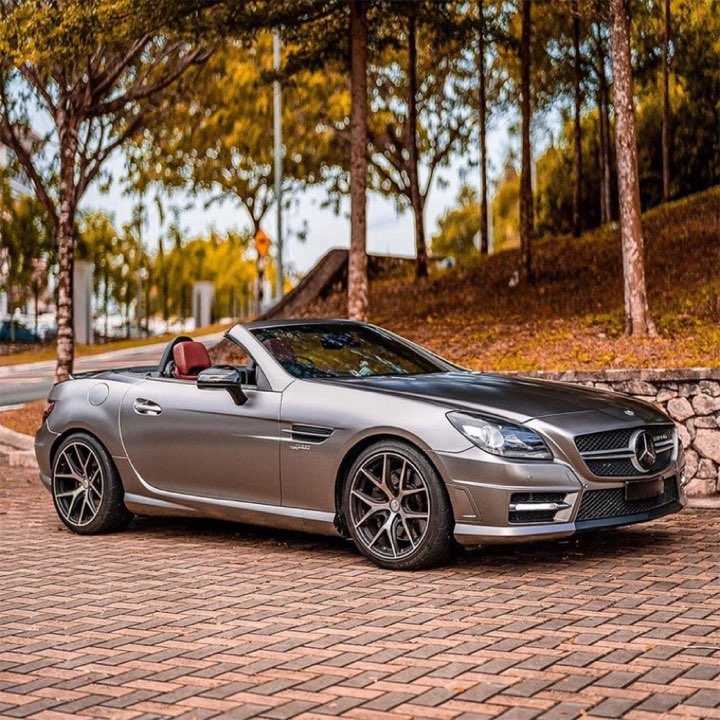
The customer's photo
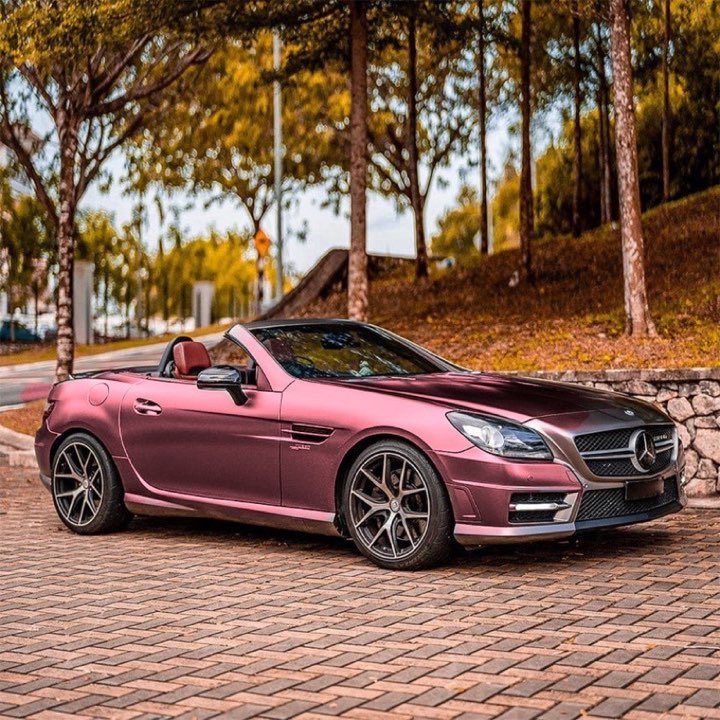
Segmentation and recolour
Flat colour, no reflections
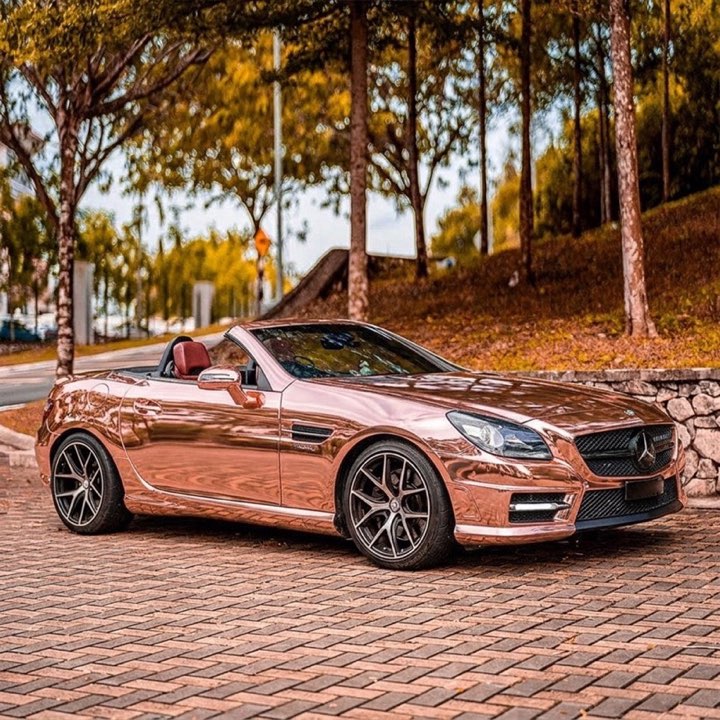
Softbox model
Reflects what is around it
This matters commercially, because chrome and colour-shift are usually the premium end of a wrap catalogue. The preview was working beautifully on the cheap vinyl and failing on the expensive vinyl.
What generative models did with the same photos
We gave the same car photos and the same wrap samples — supplied by a vinyl wrap supplier we tested with — to the Softbox model and to a larger general image model.
Both produced chrome that read as chrome: reflections that followed the panel curvature and picked up the surroundings from the original photo. Both produced colour-shift that shifted across a panel rather than sitting flat.
Critically, both left the rest of the photograph alone. The background, the road surface, the wheels, the car’s shape and the number plate stayed as they were. Only the wrap changed.
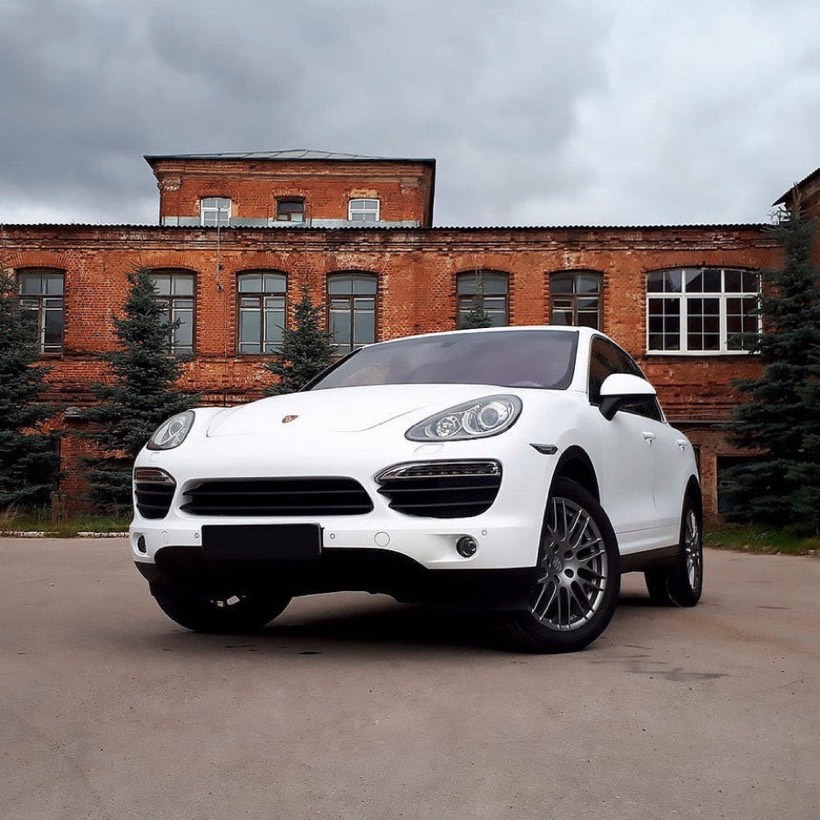 Original
The photo
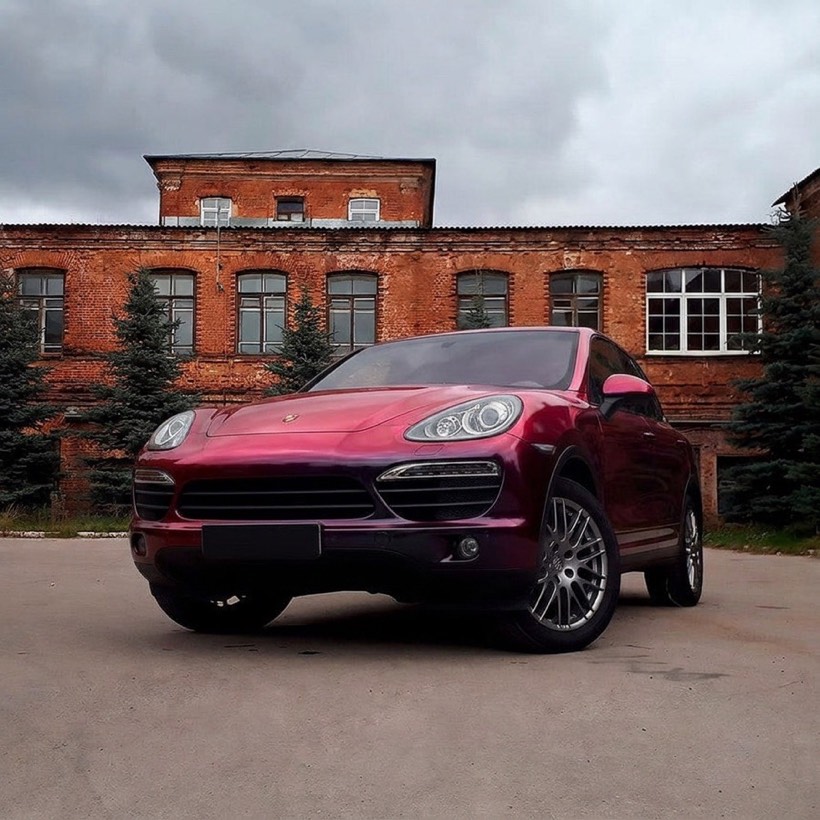
Colour shift
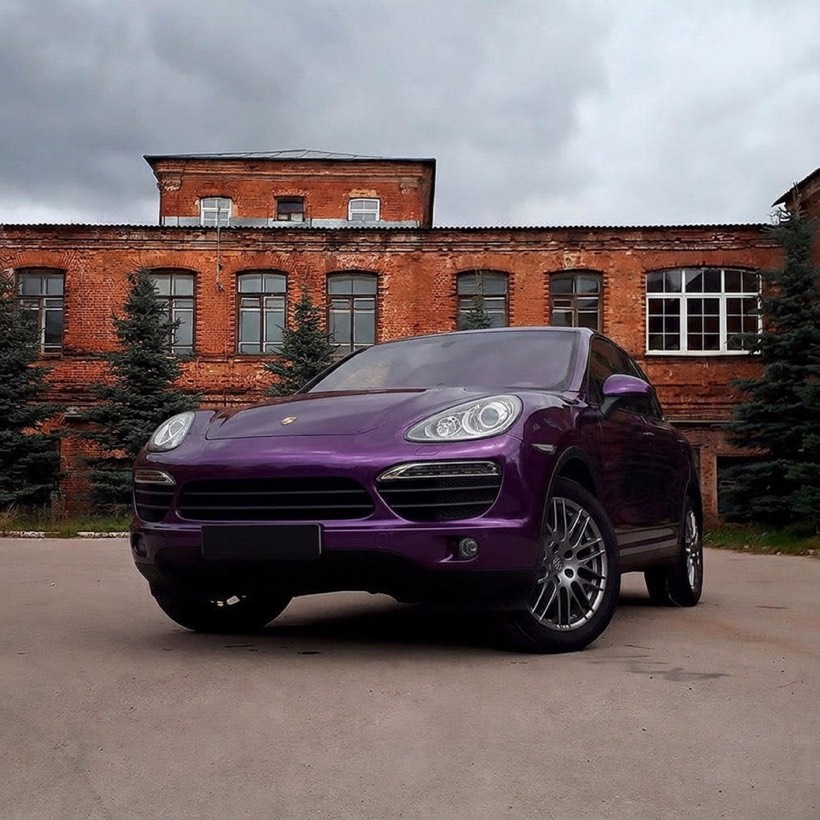
Gloss metallic purple
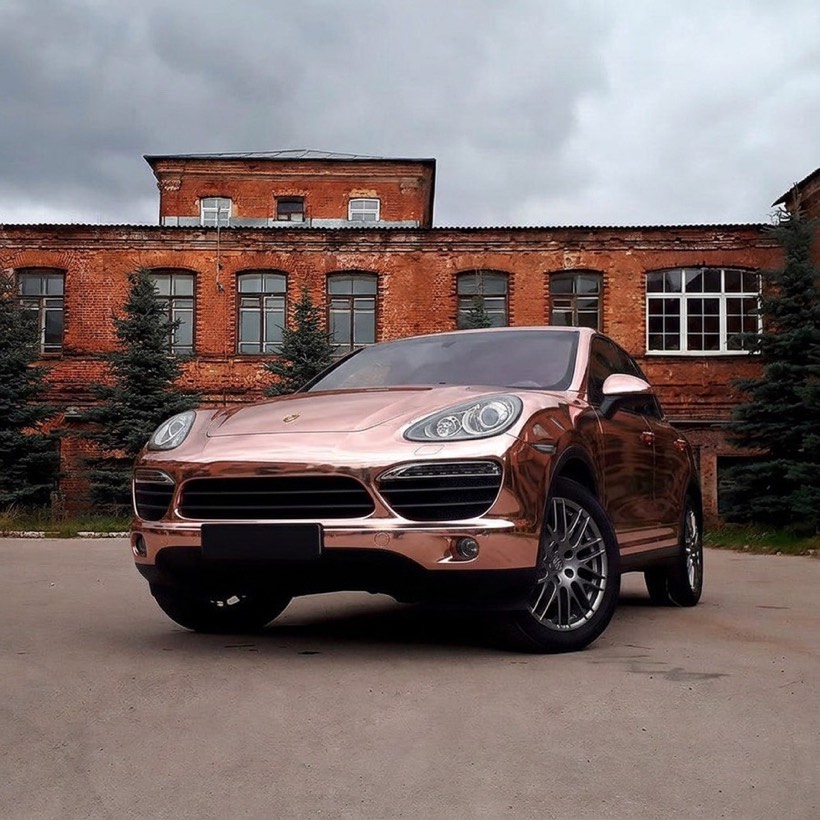
Rose-gold chrome
We could not reliably separate their wraps. The larger model did add a front number plate to one car that the original photo did not have — exactly the kind of invention a customer notices — so Softbox runs the other one.
Methods against finishes
| Finish | Segmentation + recolour | Generative model |
|---|---|---|
| Gloss | Good | Good |
| Satin | Good | Good |
| Matte | Good | Good |
| Chrome / mirror | Flat paint, no reflections | Reflective, follows panel curvature |
| Colour shift | One flat hue | Shifts across the panel |
| Printed and patterned | Poor alignment on curves | Follows the body |
| Wait before the shopper sees it | 30 MB download, or 8–95 seconds server-side | Usually under half a minute |
The practical read for a wrap store
Your premium stock is the test case. If you are evaluating a visualizer, do not test it on gloss black. Test it on your most expensive chrome and your best colour-shift. That is where tools separate, and it is where your margin is.
Customer photos are not press shots. Real submissions are taken in driveways, at three-quarter angles, with half the car in shadow and a van in the background. Test with those.
The car must stay the customer’s car. A preview that subtly changes the wheels or the body kit is worse than none — the customer is trying to picture their vehicle. Check what moved that should not have, the same test that mattered for clothing try-on.
One tool, or several? If you also sell architectural film or apparel, running one engine across all of it avoids a second integration. Softbox uses the same model for wall film and wallpaper as for wraps.
Previews cost money per run, and a shopper comparing forty finishes is both your best prospect and your biggest bill. Spending limits, per-visitor caps and country blocks are covered in stopping AI preview abuse.
What we are not claiming
We have not measured whether wrap previews change quote requests, conversion or returns for a wrap business. We did not run that study, so there is no figure here.
What we tested is narrow and shown in the demos: which methods render which finishes convincingly, on the same photographs.
Questions people ask
Does the customer need a particular angle?
A clear three-quarter or side view showing the panels being wrapped works best. Extreme angles and heavily cropped shots are the weakest cases.
Can it show partial wraps, like roof or bonnet only?
The model works from what you ask for and the product image supplied. Full-vehicle colour changes are the most reliable; partial coverage depends on how clearly the panel is visible.
Will the preview match the finished wrap exactly?
No. It gives an accurate impression of colour and finish behaviour. Lighting, installer technique and the specific vehicle all affect the real result, so keep sample swatches in the process.
Do we need to photograph every wrap ourselves?
No. It works from the product images already on your listings.
Why not just use the free recolour version?
If your catalogue is gloss, satin and matte only, it is a reasonable choice — the published demo is exactly that. It will not render chrome or colour-shift.
Which platforms are supported?
BigCommerce today, Shopify next.